The secret to a successful new year is avoiding the January chaos. This blueprint provides a simple, 7-step process to help you audit your 2025 workflows and structure your major 2026 initiatives now, ensuring you launch flawlessly when you return.
🎁 Download the FREE companion tool! Get the 2026 Project Kick-Off Tracker spreadsheet to quickly map your plan and view task definitions instantly.
Step 1: Define the mission & lessons learned (the why)
Close out 2025 by confirming the objective of the new project. Crucially, document 1-2 key takeaways or pain points from a similar 2025 project to ensure you don’t repeat the same mistakes.
- Action: Write the Project Charter and document key lessons or pain points from a similar 2025 project.
- In the Tracker: Fill out the PROJECT CHARTER and KEY 2025 LESSON fields in Tab 1 of the Project Kick-off Tracker for quick team reference.
- In Backlog: Use the Project Description field in your new project space to house this charter. This ensures everyone joining the project instantly understands the “why.”
This guarantees the team starts 2026 with institutional knowledge top-of-mind.
Step 2: Identify high-level milestones (the what)
Look ahead and break the project into 3 to 5 major phases or milestones (e.g., “Phase 1: Discovery & Planning Complete,” “Phase 2: Alpha Launch”).
- Action: Break the project into 3 to 5 major phases or milestones and assign target launch dates for Q1.
- In the Tracker: Enter these milestones and target dates in the corresponding columns in Tab 1.
- In Backlog: Input these directly into Backlog’s Milestone feature. This builds the foundational structure for your 2026 project Gantt chart, ready to view on Day 1.
Step 3: Visualize the workflow & audit bottlenecks (the how)
Review a comparable 2025 workflow. Where did tasks get stuck? Use that insight to diagram an optimized process for 2026, clarifying ownership and decision points.
- Action: Create an optimized process flow diagram for 2026, clarifying ownership and decision points to avoid 2025’s bottlenecks. A simple Swimlane Diagram or Flowchart template will make this process a breeze.
- In the Tracker: Not applicable—visualization requires a dedicated tool.
- In Backlog: Use Cacoo (Nulab’s diagramming tool) to build the flow, then link the final diagram directly to your Backlog project description for easy reference by all team members.
Don’t forget to collaborate with stakeholders to get final sign-off on the optimized process before the holiday break.
Step 4: Map task prioritization (the sequence)
Reviewing your past project’s task flow, identify critical tasks that need to be completed first in 2026. Assign a clear type and priority tag to ensure teams know what to work on next.
- Action: List all project tasks and assign a specific type and priority tag to ensure teams know what to work on first.
- In the Tracker: Use Tab 2 to log all tasks and manually assign a PRIORITY (P1, P2, P3) and CATEGORY/TYPE using the columns provided.
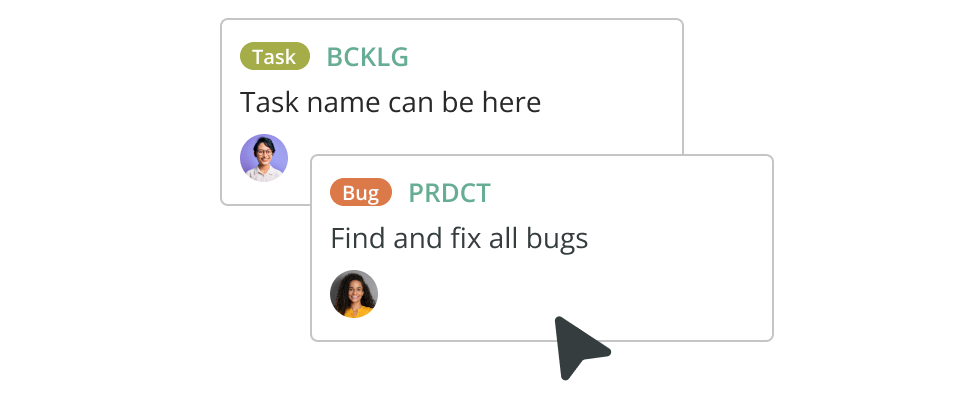
- In Backlog: Use the dedicated Priority and Issue Type features. Unlike the manual tracker, Backlog automatically sorts these on your board, ensuring the right task is always worked on next. Structuring this now ensures the right tasks appear on the team’s board immediately in January.
Step 5: resource & capacity check for Q1
Avoid the “January Burnout.” Verify that the team members needed for the critical Q1 tasks are not already overloaded. Confirm staffing availability immediately following the holiday period.
- Action: Audit team availability and assign estimated effort (hours) to your critical Q1 tasks.
- In the Tracker: Use Tab 3 (‘Capacity Tracker’) to manually estimate and plot each team member’s availability percentage against the first few weeks of Q1.
- Backlog Integration: Unlike the manual tracker, Backlog provides resource visibility tools, including Burndown Charts, to show estimated hours versus time elapsed, helping you manage workloads visually and in real-time.
Step 6: Define communication protocol (the when & where)
With new teams forming in Q1, define how status updates, file sharing, and issue logging will be handled to minimize noise and maximize efficiency.
- Action: Finalize your communication cadence (e.g., daily stand-up) and establish a clear rule for which tasks belong in the project tool vs. email.
- In the Tracker: Not applicable—this is a procedural protocol.
- In Backlog: Commit to logging all issues, bugs, and feedback directly in Backlog using its threaded comments. This centralizes all communication for 2026 visibility and reduces email clutter.
Step 7: Final sign-off & schedule kick-off
Secure sign-off on the project structure now. Schedule the actual project kick-off meeting for the second week of January, giving the team time to settle back in after the holidays.
- Action: Secure final sign-off on the structure and assign the first set of tasks to ensure a fast start upon returning from the holidays.
- In the Tracker: Not applicable—this is the execution phase.
- In Backlog: Assign the first set of tasks and set the project status to “Ready to Start.” You’ve done the planning—now relax and enjoy the break!
Ready to launch flawlessly?
You’ve done the hard work of structuring your entire year—now it’s time to make execution effortless. Don’t let your comprehensive planning get derailed by manual errors, missed handoffs, or scattered communication in January.
The free Project Kick-off Tracker spreadsheet is a great start for initial planning, but manual task logs quickly become disorganized, leading to communication breakdowns and confusion over what to work on next. Backlog eliminates this work by centralizing all communication, providing crystal-clear Milestone tracking, and ensuring everyone works on the correct Priority task at the correct time. Cacoo is the perfect companion for Step 3’s workflow visualization and other visual planning along the way.
Backlog and Cacoo are designed to take your Blueprint from concept to reality:
- In January: Instantly visualize your workload on the Backlog board, seeing exactly who is tackling those P1 tasks you assigned.
- During Production: Keep your team’s focus sharp with Backlog’s streamlined communication threads and keep your Cacoo workflow diagram updated for the entire team.
- At the Finish Line: Hit your Q1 milestones with confidence, knowing every task, bug, and fix was tracked, documented, and delivered.
Make 2026 the year your execution lives up to your planning. Enjoy the break, and launch strong!
About Author